PDF bytes, page images, field coordinates, confirmed values, and exports remain on this device.
PDF completion, by conversation
Your form, in conversation.
Open any PDF, answer naturally, and review every value before it reaches the page.
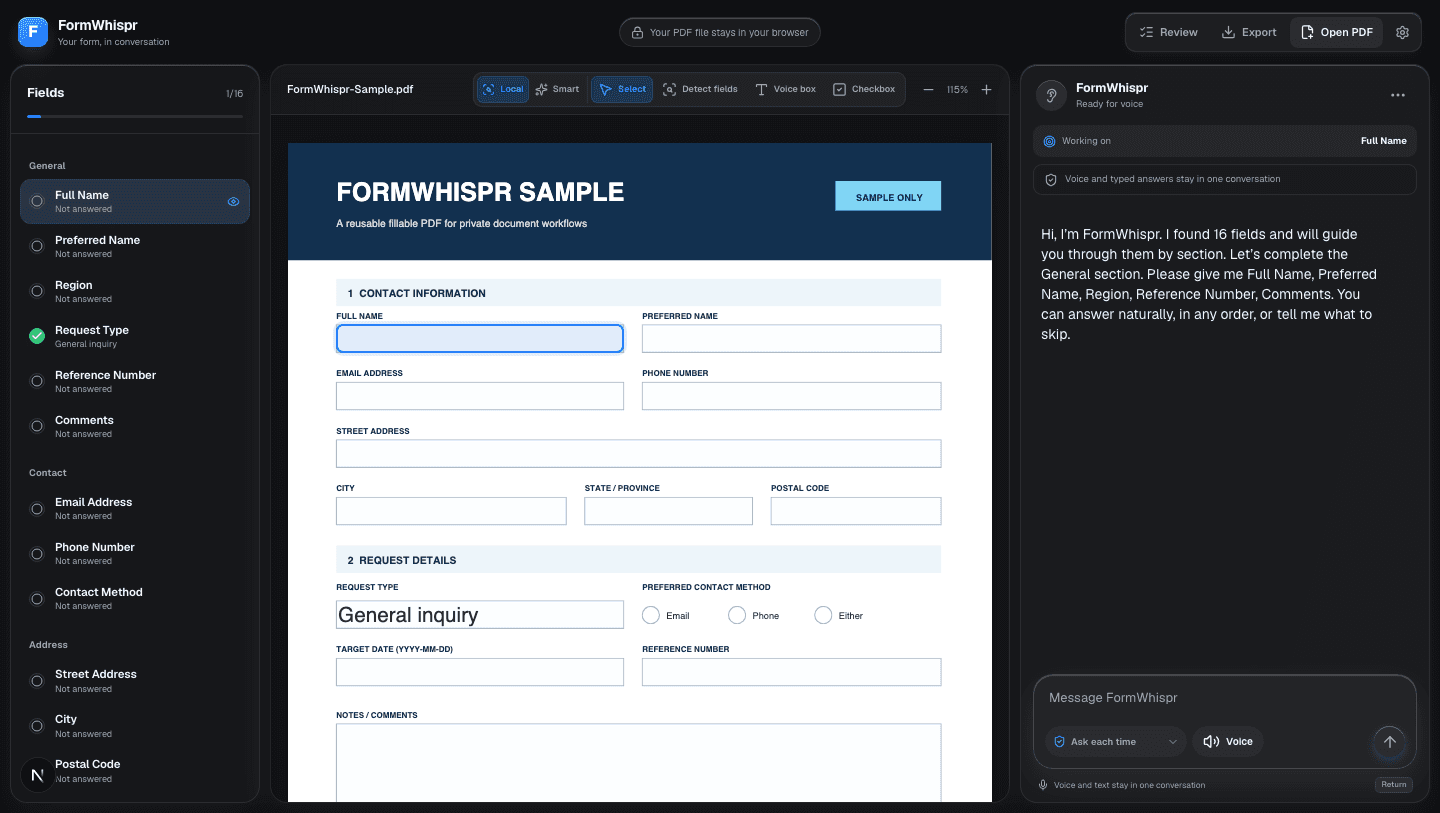
The form never leaves the screen.
FormWhispr works beside the document, so every question, answer, and change stays connected to the page you are completing.
Open the document
Start with a fillable, flat, or scanned PDF.
Answer naturally
Speak or type a field, a section, or a correction.
Review the result
See exactly which fields will change before writing.
Export a new copy
Download the completed PDF without touching the original.
Say it once. See every change.
Give FormWhispr a natural answer. It separates the details, matches them to the right fields, and keeps the proposed changes visible.
“My name is Maya Chen. I go by Maya, and email is maya@example.com.”
Ready to review
- Full name
- Maya Chen
- Preferred name
- Maya
- maya@example.com
Nothing is written until you approve it.
Private by architecture, not by promise.
Your browser owns the document. The assistant receives only the field context and conversation required for the current task.
The assistant proposes values. Application code validates and writes only what you approve.
Saved profiles can remember everyday contact information. Government IDs, banking, passwords, signatures, medical data, and income are excluded by default.
Two plans, clearly defined.
The same complete workspace in both plans. Choose based on voice time and how many profiles you manage.
Individual
For personal forms and everyday PDF workflows.
- Full PDF workspace
- 30 voice minutes monthly
- Reusable personal profiles
Professional
For repeated client workflows and multiple saved profiles.
- Full PDF workspace
- 100 voice minutes monthly
- Personal and client profiles
Both plans begin with a 14-day trial. Stripe bills after the trial unless you cancel.
Before you open a form.
The important details about documents, AI access, and billing.
Does FormWhispr upload my PDF?
No. PDF parsing, field coordinates, local OCR, and PDF writing happen in your browser. The original PDF is not sent to OpenAI.
What information reaches the AI?
Only the normalized field context and conversation required to help with the form. FormWhispr does not send the PDF file or rendered page images.
Can it complete scanned forms?
Yes. FormWhispr can detect likely fields using embedded text and local OCR. Every suggested field remains editable and requires your review.
Can I stop or correct the assistant?
Yes. Interrupt voice, type a correction, revisit a field, skip a question, or undo a confirmed change.
When does the trial charge me?
Stripe starts billing after the 14-day trial. Cancel before the trial ends if you do not want the subscription to renew.
Open the PDF. Start talking.
Your first 14 days are included.